To set up payments made with Visa Debit at your store, in the VTEX Admin, go to Store Settings > Payment > Settings, or type Settings in the search bar at the top of the page.
Create payment condition
First, you need to create a payment condition to enable Visa Debit in the Checkout. To do so, in Settings access the menu of Payment conditions options:

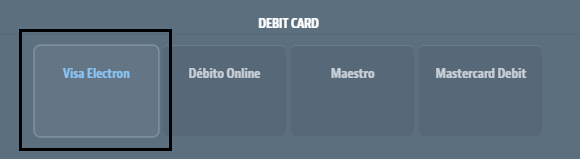
Select Visa Electron to create the payment condition:
Configure payment condition
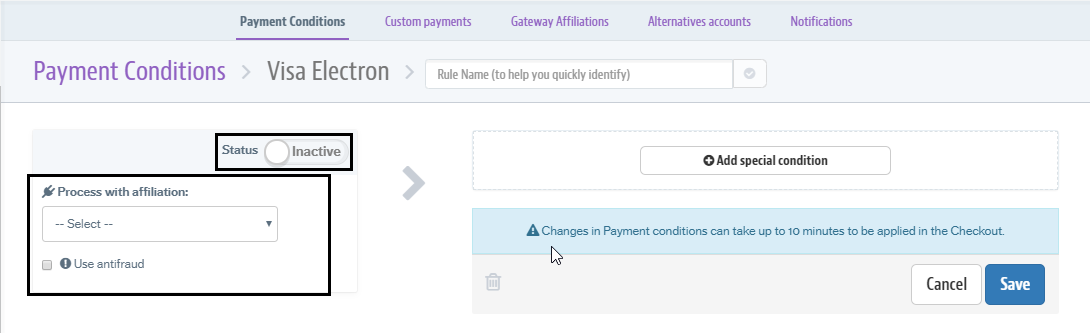
Select the desired affiliation to transact the payments; enable the payment condition; and, finally, save the changes:
Display credit cards in Checkout
After completing the setup of Visa Debit payment conditions, you will see a new tab in the Checkout called “Debit Card”. This tab will include the “Visa Debit” option, which can be selected by the customer.
Important: The customer must have a payments gateway that allows transactions with debit cards, in addition to being integrated with VTEX.